Tuesday, October 6, 2015

10/7 Plagiarism


https://classflow.com/activfoundation/resource/downloadResourceFile?resourceId=a61cdf6fbb584d8c863515d24ab0745c&resourceFileType=CONVERTEDDo Now: Search for the definition for the Word of the Day and capture it in citelighter, then paraphrase it in your own words.  
Word of the Day: PlagiarismSearch for the definition of "plagiarism".  Capture the definition with citelighter from 2 websites.

Write the definition of Plagiarism in your own words on your blog.  Copy a Citation from one source that you captured in Citelighter.

Watch the Video on Plagiarism  - Take the Quiz at Engrade
Don't Plagiarizzle
 
Plagiarism checker
Read: Integrity Matters
Citing and Documenting  
Question of the Day: How would you feel about someone copying your work and using it on their Blog?  Is this wrong?  Why?
Add Citations to your Blog Tutorial
Citelighter Video Tutorial
Add the Citelighter toolbar to Firefox.  

Plagiarism Video 1
Plagiarism Video 2
Daily Objectives:  Students will read, discuss and analyze information from articles, analyze, and think critically about online context, using written (Blog post), graphic, pictorial, or multi-media methods, with a student performance at the basic level or above and 6 out of 12 on the project rubric.

    https://classflow.com/activfoundation/resource/downloadResourceFile?resourceId=ba7160ab334f47cea8dfcbfe4500cf68&resourceFileType=CONVERTEDDo Now: Search for the definition for the Word of the Day and capture it in citelighter, then paraphrase it in your own words.  
    Word of the Day: PlagiarismSearch for the definition of "plagiarism".  Capture the definition with citelighter from 2 websites.

    Write the definition of Plagiarism in your own words on your blog.  Copy a Citation from one source that you captured in Citelighter.

    Watch the Video on Plagiarism  - Take the Quiz at Engrade
    Don't Plagiarizzle
     
    Plagiarism checker
    Read: Integrity Matters
    Citing and Documenting  
    Question of the Day: How would you feel about someone copying your work and using it on their Blog?  Is this wrong?  Why?
    Add Citations to your Blog Tutorial
    Citelighter Video Tutorial
    Add the Citelighter toolbar to Firefox.  

    Plagiarism Video 1
    Plagiarism Video 2  

    Daily Objectives:  Students will read, discuss and analyze information from articles, analyze, and think critically about online context, using written (Blog post), graphic, pictorial, or multi-media methods, with a student performance at the basic level or above and 6 out of 12 on the project rubric.

      Friday, October 2, 2015

      10/5 Navigation Tips


      https://classflow.com/activfoundation/resource/downloadResourceFile?resourceId=a61cdf6fbb584d8c863515d24ab0745c&resourceFileType=CONVERTEDDo Now: Search for the definition for the Word of the Day and capture it in citelighter, then paraphrase it in your own words.  
      Word of the Day: Navigation

      Quest 1 Navigation Tips

      This Quest is a short tour of the site and tips for navigating it. This Quest also includes information about Quest checklists and the 21t4s roadmap/tracking guide to help you keep track of the steps in the Quest.

      Quest 2 Image Capture

      This Quest shows how to do a screenshot so that you can capture a picture of your screen to document your work.

      Quest 3 Shortcuts

      This Quest has great tips to save time and be techie-cool.

      Quest 4 Web Browsers

      Learn about web browsers, how to find out which one you are using, and get some tips and shortcuts in this Quest.

      Question of the Day:

      Write a short paragraph about browsers, or your teacher may have you discuss this in class. Include:

      1. The browser you prefer to use

      2. Some of the features you like about it and why you prefer it over others

      3.  Something new you learned about browsers, or discovered, or know that others might not know about

      Daily Objectives:  Students will read, discuss and analyze information from articles, analyze, and think critically about online context, using written (Blog post), graphic, pictorial, or multi-media methods, with a student performance at the basic level or above and 6 out of 12 on the project rubric. 
      • be able to take a screenshot on a PC, Mac, Chromebook, or iPad 
      • know the basic shortcuts
      •  know how to perform browser actions and shortcuts

        https://classflow.com/activfoundation/resource/downloadResourceFile?resourceId=ba7160ab334f47cea8dfcbfe4500cf68&resourceFileType=CONVERTEDDo Now: Search for the definition for the Word of the Day and capture it in citelighter, then paraphrase it in your own words.  
        Word of the Day: Navigation

        Quest 1 Navigation Tips

        This Quest is a short tour of the site and tips for navigating it. This Quest also includes information about Quest checklists and the 21t4s roadmap/tracking guide to help you keep track of the steps in the Quest.

        Quest 2 Image Capture

        This Quest shows how to do a screenshot so that you can capture a picture of your screen to document your work.

        Quest 3 Shortcuts

        This Quest has great tips to save time and be techie-cool.

        Quest 4 Web Browsers

        Learn about web browsers, how to find out which one you are using, and get some tips and shortcuts in this Quest.

        Question of the Day:

        Write a short paragraph about browsers, or your teacher may have you discuss this in class. Include:

        1. The browser you prefer to use

        2. Some of the features you like about it and why you prefer it over others

        3.  Something new you learned about browsers, or discovered, or know that others might not know about

        Daily Objectives:  Students will read, discuss and analyze information from articles, analyze, and think critically about online context, using written (Blog post), graphic, pictorial, or multi-media methods, with a student performance at the basic level or above and 6 out of 12 on the project rubric. 
        • be able to take a screenshot on a PC, Mac, Chromebook, or iPad 
        • know the basic shortcuts
        •  know how to perform browser actions and shortcuts

          Thursday, October 1, 2015

          10/2 Compliments


          https://classflow.com/activfoundation/resource/downloadResourceFile?resourceId=a61cdf6fbb584d8c863515d24ab0745c&resourceFileType=CONVERTEDDo Now: Search for the definition for the Word of the Day and capture it in citelighter, then paraphrase it in your own words.  
          https://classflow.com/activfoundation/resource/downloadResourceFile?resourceId=ba7160ab334f47cea8dfcbfe4500cf68&resourceFileType=CONVERTEDWord of the Day: Compliment


          Take the Grammar quiz on Engrade.com
          Watch: How to Write a Quality Comment!
          Grammar V-rant 
          Question of the Day: Read all of the posts and write a compliment/comment on at least 2 of your classmates blog posts for 9/28 Does Technology Make Us More Alone?
          Use the Rules from the video How to Write a Quality Comment!
          • Compliment the Writer in a Specific Way! 
          • Add New Information!
          • Make a Connection!
          • End with a Question!
          • Proofread and edit your Comment!
          Daily Objectives:  Students will read, discuss and analyze information from articles, analyze, and think critically about online context, using written (Blog post), graphic, pictorial, or multi-media methods, with a student performance at the basic level or above and 6 out of 12 on the project rubric.
            Tuesday, September 29, 2015

            Critical Thinking


            https://classflow.com/activfoundation/resource/downloadResourceFile?resourceId=a61cdf6fbb584d8c863515d24ab0745c&resourceFileType=CONVERTEDDo Now: Search for the definition for the Word of the Day and capture it in citelighter, then paraphrase it in your own words.  
            Word of the Day: Critical Thinking

            Question of the Day: 
            1. Take the Critical Thinking Quiz take a screen shot of your score and turn it in in Engrade.com
            2. Take the Information Technology Quiz save your Certificate of Achievement and turn it in in Engrade.com
            3. Complete the Technology Skills Survey (please be honest)
            Test your knowledge by taking the Quizzes
            Daily Objectives:  Students will read, discuss and analyze information from articles, analyze, and think critically about online context, using written (Blog post), graphic, pictorial, or multi-media methods, with a student performance at the basic level or above and 6 out of 12 on the project rubric.
              https://classflow.com/activfoundation/resource/downloadResourceFile?resourceId=ba7160ab334f47cea8dfcbfe4500cf68&resourceFileType=CONVERTEDDo Now: Search for the definition for the Word of the Day and capture it in citelighter, then paraphrase it in your own words.  
              Word of the Day: Critical Thinking

              Question of the Day: 
              1. Take the Critical Thinking Quiz take a screen shot of your score and turn it in in Engrade.com
              2. Take the Information Technology Quiz save your Certificate of Achievement and turn it in in Engrade.com
              3. Complete the Technology Skills Survey (please be honest)
              Test your knowledge by taking the Quizzes
              Daily Objectives:  Students will read, discuss and analyze information from articles, analyze, and think critically about online context, using written (Blog post), graphic, pictorial, or multi-media methods, with a student performance at the basic level or above and 6 out of 12 on the project rubric.

                Monday, September 28, 2015

                9/29 Blog Compliments


                https://classflow.com/activfoundation/resource/downloadResourceFile?resourceId=a61cdf6fbb584d8c863515d24ab0745c&resourceFileType=CONVERTEDDo Now: Search for the definition for the Word of the Day and capture it in citelighter, then paraphrase it in your own words.  
                Word of the Day: Blog Comment is a thought or opinion that can be left on a blog that can be read by other people who read the blog.

                Watch:Yo Comments Are Whack!
                How to Write a Quality Comment!

                Listen: Yo Comments Aren't Whack
                Watch the slideshow: 

                https://fivegreen2013.files.wordpress.com/2013/01/writing-a-quality-blog-comment-poster.pngRead:  Quality Comments
                Question of the Day:
                1.  Post on your blog: Why are comments important on class blogs?
                2. Post a comment on your blog about the video "Yo Comments are Whack." What did you like about the video?  What could be done to improve the video? 
                3. Comment on 2 of your classmates Blogs.

                Daily Objectives:  Students will read, discuss and analyze information from articles, analyze, and think critically about online context, using written (Blog post), graphic, pictorial, or multi-media methods, with a student performance at the basic level or above and 6 out of 12 on the project rubric.

                  https://classflow.com/activfoundation/resource/downloadResourceFile?resourceId=ba7160ab334f47cea8dfcbfe4500cf68&resourceFileType=CONVERTEDDo Now: Search for the definition for the Word of the Day and capture it in citelighter, then paraphrase it in your own words.  
                  Word of the Day: Blog Comment is a thought or opinion that can be left on a blog that can be read by other people who read the blog.

                  http://4kmand4kj.global2.vic.edu.au/files/2012/01/How-can-I-write-a-great-blog-comment-2dddcoc.jpgListen: Yo Comments Aren't Whack

                  Read:   
                  Question of the Day:
                  1. Post a comment on your blog about the video "Yo Comments are Whack." What did you like about the video?  What could be done to improve the video? 
                  2. Comment on 2 of your classmates Blogs.

                  Daily Objectives:  Students will read, discuss and analyze information from articles, analyze, and think critically about online context, using written (Blog post), graphic, pictorial, or multi-media methods, with a student performance at the basic level or above and 6 out of 12 on the project rubric.

                    Friday, September 25, 2015

                    9/28 Does Technology Make Us More Alone?

                     
                    https://classflow.com/activfoundation/resource/downloadResourceFile?resourceId=a61cdf6fbb584d8c863515d24ab0745c&resourceFileType=CONVERTEDDo Now: Search for the definition for the Word of the Day and capture it in citelighter, then paraphrase it in your own words.  
                    Word of the Day: Technology

                    Read: Does Technology Make Us More Alone?
                    Does Technology Make Us More Alone? Audio
                    Question of the Day: Technology is supposed to make us more connected. We can stay in touch with our friends all the time on Facebook, Twitter and Tumblr, and, of course, by texting. But are our smartphones actually getting in the way of real socializing? Could technology be making us more alone?

                    Daily Objectives: Students will read, discuss and analyze information from articles, analyze, and think critically about online context, using written (Blog post), graphic, pictorial, or multi-media methods, with a student performance at the basic level or above and 6 out of 12 on the project rubric.

                      https://classflow.com/activfoundation/resource/downloadResourceFile?resourceId=ba7160ab334f47cea8dfcbfe4500cf68&resourceFileType=CONVERTEDDo Now: Search for the definition for the Word of the Day and capture it in citelighter, then paraphrase it in your own words.  
                      Word of the Day: Technology

                      Read: Does Technology Make Us More Alone?
                      Does Technology Make Us More Alone? Audio
                      Question of the Day: Technology is supposed to make us more connected. We can stay in touch with our friends all the time on Facebook, Twitter and Tumblr, and, of course, by texting. But are our smartphones actually getting in the way of real socializing? Could technology be making us more alone?

                      Daily Objectives:  Students will read, discuss and analyze information from articles, analyze, and think critically about online context, using written (Blog post), graphic, pictorial, or multi-media methods, with a student performance at the basic level or above and 6 out of 12 on the project rubric.

                        Wednesday, September 23, 2015

                        9/25 Typing Speed


                        https://classflow.com/activfoundation/resource/downloadResourceFile?resourceId=a61cdf6fbb584d8c863515d24ab0745c&resourceFileType=CONVERTED
                        Do Now: Search for the definition for the Word of the Day and capture it in citelighter, then paraphrase it in your own words.  
                        https://classflow.com/activfoundation/resource/downloadResourceFile?resourceId=ba7160ab334f47cea8dfcbfe4500cf68&resourceFileType=CONVERTEDWord of the Day: Touch Type


                        Check your missing grade report.
                        Complete all missing assignments. Go to your assignments on Engrade.com

                        Question of the Day: Take the typing test and turn in a screen shot of your score. Then try the typing tutorials and or typing games. Now take the typing test again and compare your scores.

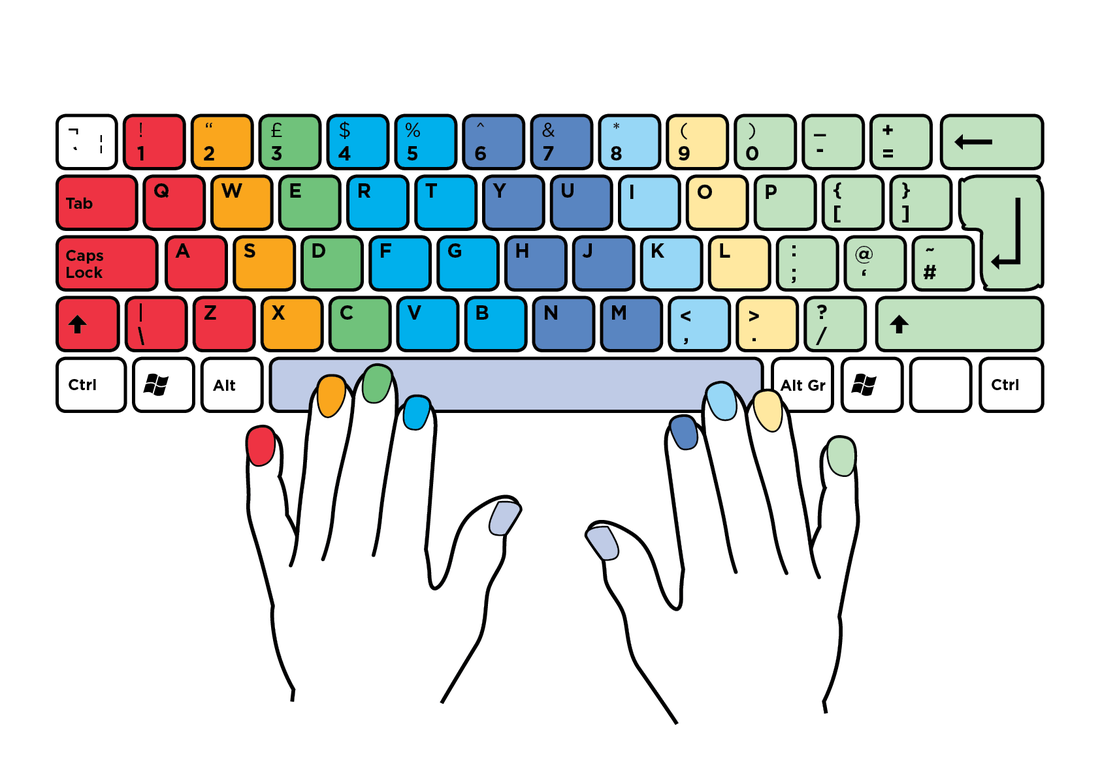
                        Typing tutorials

                        Touch Typing Training
                        http://stocker-bendersky.weebly.com/uploads/7/8/3/2/7832870/6541048_orig.png
                        http://www.hyerlinks.com/uploads/8/5/0/4/8504224/6654201_orig.jpgTouch Typing Tutorial
                        Dance Mat Typing. 
                        Typing Test

                        Typing games - Try to increase your speed by using games from these sites.

                        Spacebar Invaders
                        Kayak Game
                        Keyboard Ninja
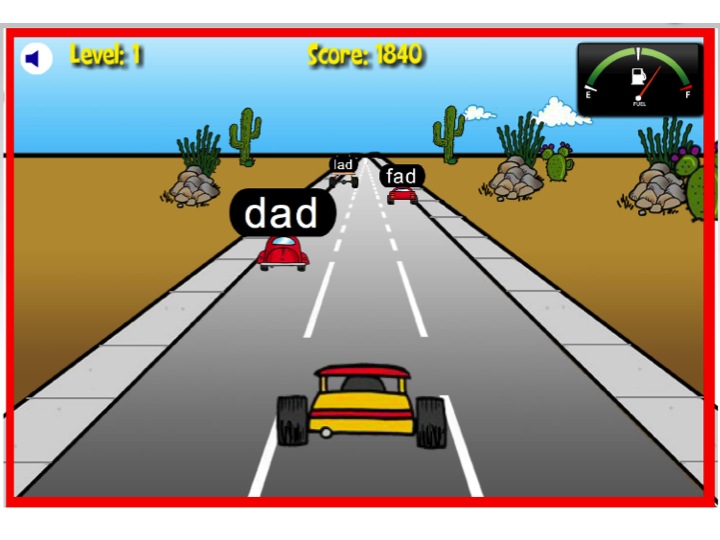
                        Desert Typing Racer
                        Keyboard Revolution
                        Fun to type 
                        Sense-Lang 
                        Weebly typing 
                        FreeTypingGame

                        Daily Objectives:  Students will read, discuss and analyze information from articles, analyze, and think critically about online context, using written (Blog post), graphic, pictorial, or multi-media methods, with a student performance at the basic level or above and 6 out of 12 on the project rubric.